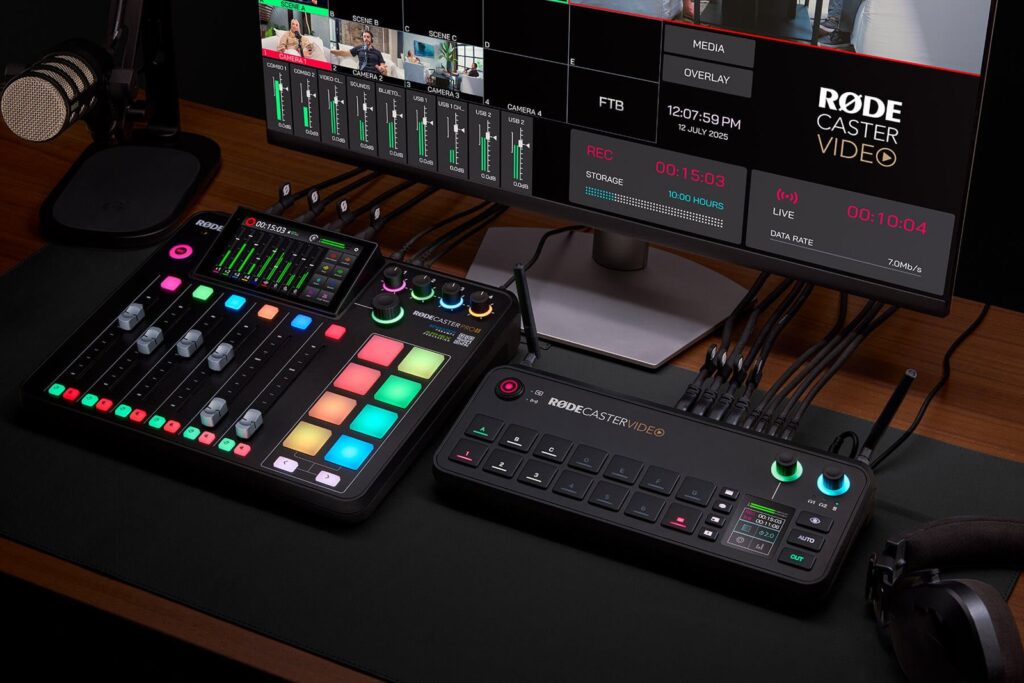
On 24 September RØDE released firmware 1.4 for all three consoles in the RØDECaster Video family: Video, Video S and Video Core. It is a free update, and not the usual bug-fix round. It adds a mode that changes what the box is for: from a video mixer for podcasts and live shows to a 4K multicam recorder with separate NDI outputs. The announcement is on RØDE’s website and was confirmed by CineD.
What the new 4K Capture Mode does
In this mode the console takes several UHD (3840×2160) sources at 30 frames per second over HDMI: four on the RØDECaster Video, three on the Video S and Video Core. Every camera goes out as its own NDI HX stream, so you can pull it into OBS, Ecamm Live or any NDI system on the same network. At the same time each source is recorded as an isolated 4K track to an external SSD, in H.264 or H.265.
- 4K Capture: up to four UHD30 inputs, one NDI stream per camera, 4K ISOs to SSD.
- Full HD Capture: the same idea at 1080p60, for when you want the smoothness of 60 frames.
- Audio: the RØDE mixer keeps running and every NDI or ISO output can carry its own mix, say full programme on one and a single mic on another.
RØDE is upfront about the trade-off: in capture mode, multicam scenes, keying, graphics, media and direct streaming are removed or reduced. The standard FHD Switching mode still has all of that, but in Full HD. In plain terms: either you switch live in HD, or you record clean 4K. Not both at once.
RØDECaster Sync across the range
The second change is Sync, until now limited to the Video Core. A single USB-C cable links the video console to a RØDECaster Pro II or Duo, which becomes a control surface for both audio and video. The two units share a nine-channel mixer and every input and output, and recording lands on the RØDECaster Video’s drive. With 1.4 it works on the Video and Video S too. The update also adds OTIO timeline export for Premiere Pro (EDL export for DaVinci Resolve arrived in 1.3), audio from USB webcams and keyboard shortcuts in the Scene Builder.
What it means if you shoot in Italy
For us the real news is 4K ISO recording. Until now these consoles were podcast-studio tools: you recorded the finished Full HD programme, and if you missed a cut live, you were stuck with it. Now conferences, talks, corporate presentations and small concerts can be shot on three or four cameras, bringing home every angle separately in 4K and recutting at leisure. OTIO and EDL export exist for exactly this: rebuild the live sequence and fix only the bad cuts.
Two notes from the field. First, H.264 and H.265 are delivery codecs, not grading codecs: great for an interview that airs as shot, not for a documentary that needs a heavy grade. There it’s worth recording in camera too, or to an Atomos Ninja V in ProRes, and using the console as switcher and reference only. Second, NDI means networking: you need a decent gigabit switch and proper cables, not the conference centre’s Wi-Fi.
On the camera side, the setup we use most is simple: two or three Sony FX3 bodies with clean HDMI out, plus a Teradek Bolt 6 750 when one camera has to roam the room without a cable. If the event is in a mountain village or a refuge with no line, the Starlink kit takes care of streaming.
Buying the console makes sense if you run podcasts or live shows every week. For a one-off event, in our view, it’s smarter to rent cameras and transmission and put the budget into the shoot day. You’ll find everything in our equipment list, and if you want to work out a multicam plan for a conference, call us first.
A wide range of equipment in our catalogue, on-set delivery included across Abruzzo.