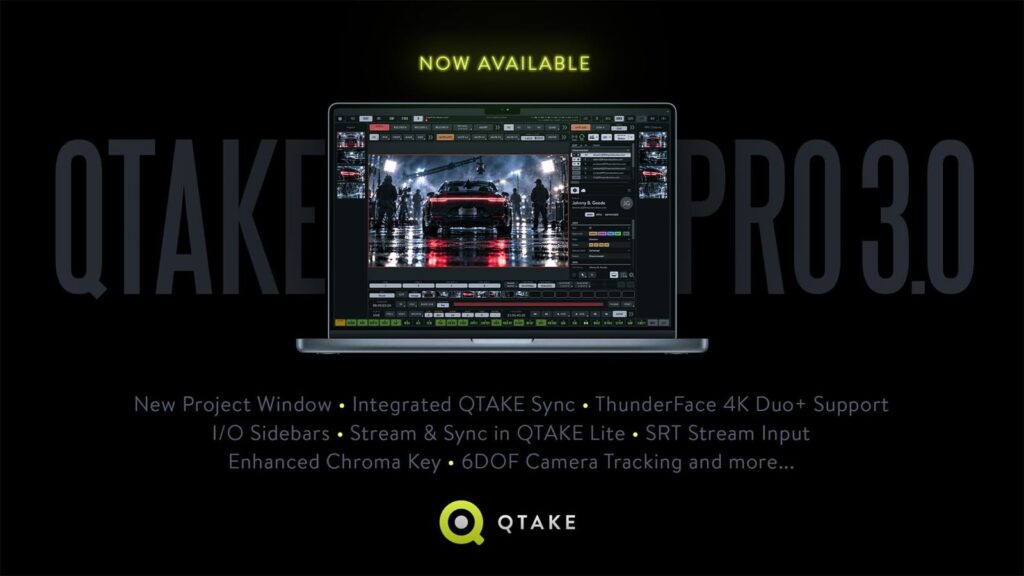
On 14 October IN2CORE released QTAKE Pro 3.0, the video assist software that sits on the VTR cart of most serious sets almost by default. It is a free update for existing QTAKE Pro users, and it is not a cosmetic one: it changes how director, agency and client review takes without all crowding around the same monitor.
What actually changes
The feature we think matters most is integrated QTAKE Sync. Every authorised crew member gets independent playback on QTAKE Monitor, the iPhone and iPad app, with the project synced in real time. It also works over a local network with no internet, and remote changes catch up later. Approvals are tied to the user’s account rather than to a single device, so a director who swaps iPads halfway through the day doesn’t need to be approved again.
The rest of the list, from the official QTAKE announcement:
- Redesigned Project Window: video cards from different vendors in one window, with colour bit depth and proxies set at project level.
- ThunderFace 4K Duo+ support: 4/4 firmware (up to four inputs and four outputs) or 0/8 (output only, up to eight). Duo owners can send their serial number to check whether they qualify for a free upgrade.
- I/O Sidebars: processed live feeds go to individual outputs without touching the main workspace, with input and output thumbnails.
- SRT input: low-latency IP streams, local or remote, as video assist sources.
- Better chroma key: Chroma Subsampling and Matte Choker for cleaner edges.
- Slate Scan and OSD Scan: AI reads the physical slate and the camera’s on-screen data and pulls out the metadata. It runs locally on models within Apple’s ecosystem, and the operator reviews and edits everything.
- 6DOF camera tracking: position is added to rotation, using an iPhone mounted on the rig running QTAKE Monitor 4.0 or later.
- QTAKE Lite: local and cloud streaming to up to eight devices plus uploads to QTAKE Cloud at no extra cost. Lite pricing stays the same.
Until 31 December 2026 SYNC module licences are free, one per account. Newsshooter has independently covered the release too.
What it means for a shoot in Abruzzo
On the small and mid-size productions we work with, video village is often the weak spot: one monitor, four people in front of it, and the client asking to see take three while the camera is already set for take four. Independent playback on iPads fixes exactly that, and the fact that it works over a local network matters a lot on location: between Gran Sasso and Majella mobile data disappears quickly. Where you really need internet, say a client dialling in from Milan, our Starlink kit is still the cleanest answer.
SRT input is the other change we like: it opens the door to a second unit or a drone sending its feed over IP instead of cable or a dedicated radio link. That said, on set the main feed to video village still comes from a zero-delay wireless system like the Teradek Bolt 6 750, and QTAKE picks it up from there.
Our practical tips
- Sort licences before you leave: Pro is rented or bought, Sync has to be requested. Licences can’t be moved from QTAKE Sync to QTAKE Pro, so decide in advance who uses what.
- Check what the AI reads off the slate: it helps the DIT, it doesn’t replace the script supervisor.
- Keep the DoP’s monitor separate: for exposure we keep an Atomos Ninja V with waveform and false colour next to the camera, while QTAKE serves director and client.
Buying a full QTAKE setup, with Mac, capture cards and licences, only makes sense if video assist is your trade. For a music video or a two-day commercial it pays to rent the whole package, wireless video included. Tell us what kind of shoot you have and we’ll build the cart with you: have a look at our kits.
A wide range of equipment in our catalogue, on-set delivery included across Abruzzo.