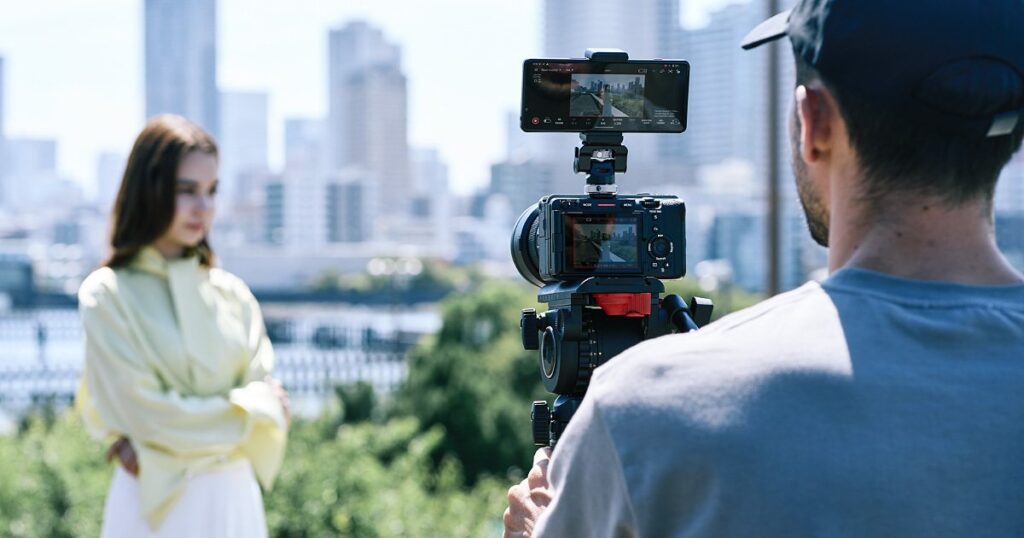
On 23 July Sony pushed the Monitor & Control app to version 3.0. This is not a routine maintenance release: it brings EL Zone, the stop-based exposure display we previously only had on board VENICE 2 and BURANO, plus a vectorscope that Sony decided to give away even on the free tier. If you shoot on Sony bodies with a phone or an iPad on the rig, this is the most useful update of the year.
What version 3.0 adds
- EL Zone: exposure read in stops, sitting next to the waveform, false colour, histogram and zebra tools already in the app.
- Vectorscope: hue and saturation checked at a glance, available on every tier, free included.
- Image overlay: a saved reference frame is laid over the live view with transparency, so you can rebuild the same shot days later.
- Multi-Camera Monitoring: vertical shooting support and USB connection, not just wireless.
- Automatic snapshots at record start and stop.
- New bodies supported: FX5 and α7R VI; on the FX5 several devices can connect at the same time.
EL Zone in your pocket: why it matters
Classic false colour tells you “you are clipping here”. EL Zone tells you “this skin tone is two stops under middle grey”. That changes how a DoP and a gaffer talk on set: you think in stops, the way you would with a light meter, instead of decoding colours. Having it on the camera itself on a BURANO is handy; having it on the first AC’s phone or the director’s iPad while the camera sits on a gimbal or a crane is something else entirely.
In our view the most underrated part of the update is the image overlay. On a documentary shot across several days, or a commercial that goes back to the same location a week later, lining the camera up against the old frame in transparency saves a real twenty minutes and saves the edit.
Which of our cameras it works with
Of the bodies we rent out, the app talks to the Sony BURANO, Sony FX6 and Sony FX3, along with the FX30, FX2, FX5 and most of the recent Alpha line. One honest warning: the Sony FX9 is not on the supported list, because it belongs to the XDCAM world rather than Creators’ Cloud. If your monitoring workflow depends on this app, factor that in when picking a body, or budget for an external monitor such as the Atomos Ninja V, which carries its own exposure tools.
Another practical note: compatibility depends on running current camera firmware. We hand over our Sony bodies already updated to the latest system software, but if you have had one out for a few weeks, or sourced it elsewhere, check before you reach set rather than at 6am with the crew standing around.
What it costs, and what is free
The structure is unchanged: a free tier with exposure tools, focus control and up to four-camera monitoring on iPad; Basic at $4.99 a month or $49.99 a year; Premium at $22.99 a month or $229.90 a year, with a first month free for new subscribers. EL Zone, image overlay and vertical Multi-Camera Monitoring sit in Premium; the vectorscope does not, and that is the smartest call Sony made in this release.
The maths is simple: $22.99 for a month of Premium costs less than half a day’s rental on a field monitor. On a two-week production you switch it on, use it, cancel it. On a single half-day shoot the free tier, with vectorscope and false colour, is plenty.
Our advice
If you shoot in Abruzzo on one of our Sony bodies and carry an iPad, try Premium on your first proper job after the summer: the lightweight video village — camera on a gimbal, director with a tablet, EL Zone in front of them — works very well on small sets where a DIT cart would not even fit in the van. Our rental kits already include the mounts and power to keep a tablet and a phone on the rig without improvising with gaffer tape.
Official source: Sony Creators’ Cloud – Monitor & Control. Independent verification: Newsshooter.
A wide range of equipment in our catalogue, on-set delivery included across Abruzzo.