Back in August we explained why the Starlink kit joined our rental fleet: shooting where Abruzzo has no phone signal and still delivering files the same evening. It has gone out a lot since then, and the question we get at pickup is no longer “does it work?” but “how do I power it?” and “where do I put it?”. Here are our answers, with the official numbers and what we have seen in the field.
How much power it really draws
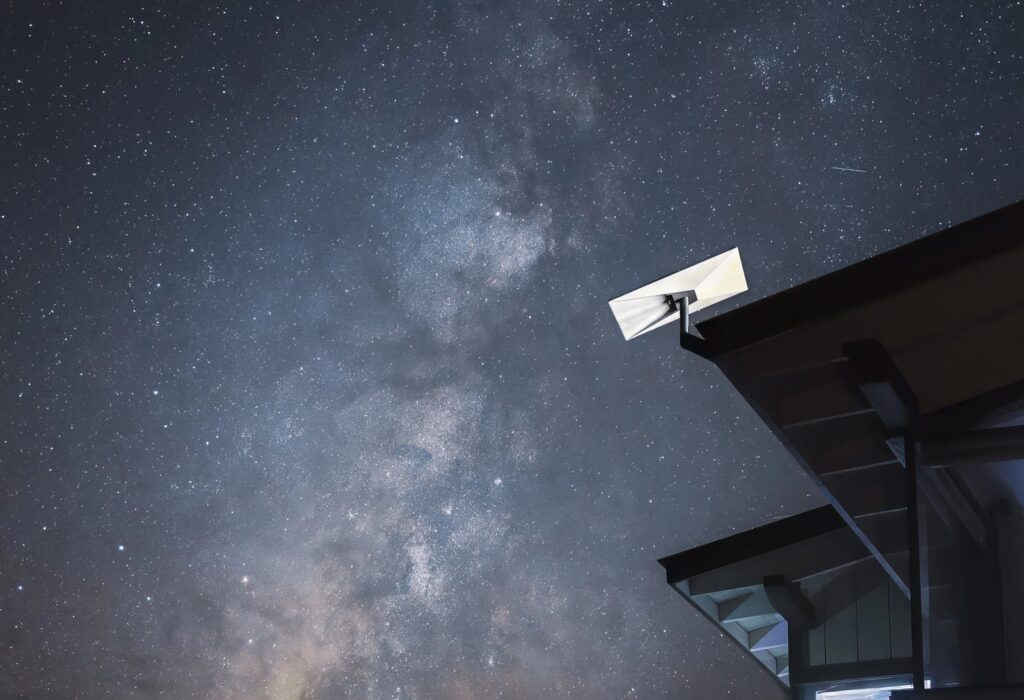
According to Starlink’s official specifications, the Standard kit dish draws 75 to 100 W on average. The Wi-Fi 6 router comes in the kit and runs off the same line. For whoever plans the set, that means a small load, far less than a single 300 W LED head, but a constant one. The dish doesn’t sleep while the crew is shooting: it stays on all day.
- Antenna: electronic phased array, 110° field of view.
- Weight: 2.9 kg for the dish, IP67 rated.
- Operating temperature: −30 to +50 °C, with snow melt up to 40 mm per hour.
- Wind: rated operational above 96 km/h.
- Router: Wi-Fi 6, coverage up to 297 m².
Three ways to power it, in our view
Power station
This is what we recommend most often for small crews. A 1,000 Wh power station, after inverter losses, keeps the kit running for roughly eight hours: a full shooting day, with no noise and no fumes. If dailies keep uploading into the evening, plan for a second unit or a recharge at lunch.
Production generator
If there is already a generator on set for the lights, Starlink fits in without a second thought. One tip: keep it on a separate circuit from the big fixtures. When someone strikes or kills a 1200 W head, the spikes on the line are not good for any electronic power supply. We made the same point when we wrote about the Nanlite Forza 720 and power on location.
The farmhouse socket
Farmhouses, mountain huts and agriturismi often have power but no internet. A long extension cord does the job, but check the meter first: with kettles, the makeup team’s hair dryers and battery chargers all plugged in, a 3 kW domestic supply trips sooner than you think.
Where to put it
The dish needs open sky. In Abruzzo there are three enemies: tree canopy in the Marsica and National Park forests, the narrow alleys of stone hill towns, and mountain flanks when you shoot at the bottom of a valley. The Starlink app has a tool that scans the sky through your phone camera and shows obstructions: use it on the recce, not on the morning of the shoot.
- The ideal spot is almost always the base camp, not the set. Wi-Fi covers the surroundings; if the set is far away, run an Ethernet cable.
- The van roof works well, but secure the stand: in ridge wind an unsecured dish takes off.
- Keep it out of frame on wide reverse shots. It sounds obvious; everyone forgets it once.
Who needs it, and who doesn’t
It’s for high-altitude documentaries, for the DIT who has to send rushes the same night, for productions that want the director or the client connected remotely, for events in hill towns that need to go out live. With a Sony FX6 in doc configuration and the Starlink kit in the van, a two-person crew is self-sufficient even at Campo Imperatore.
It’s not for you if you shoot in a city or in a warehouse with fibre: we’ll say it plainly, the cost won’t pay back. And it doesn’t replace a dedicated broadcast link for a TV live with contractual requirements: that’s a different conversation.
Why rent it
Buying the kit and keeping a subscription active only makes sense if you work every month where there’s no network. For most productions it’s a few days a year. Our Starlink rental kit arrives already activated and tested, and if you tell us in advance where you’re shooting we’ll help you figure out where to place it. The rest of our ready-made combinations are on the kit page.
A wide range of equipment in our catalogue, on-set delivery included across Abruzzo.