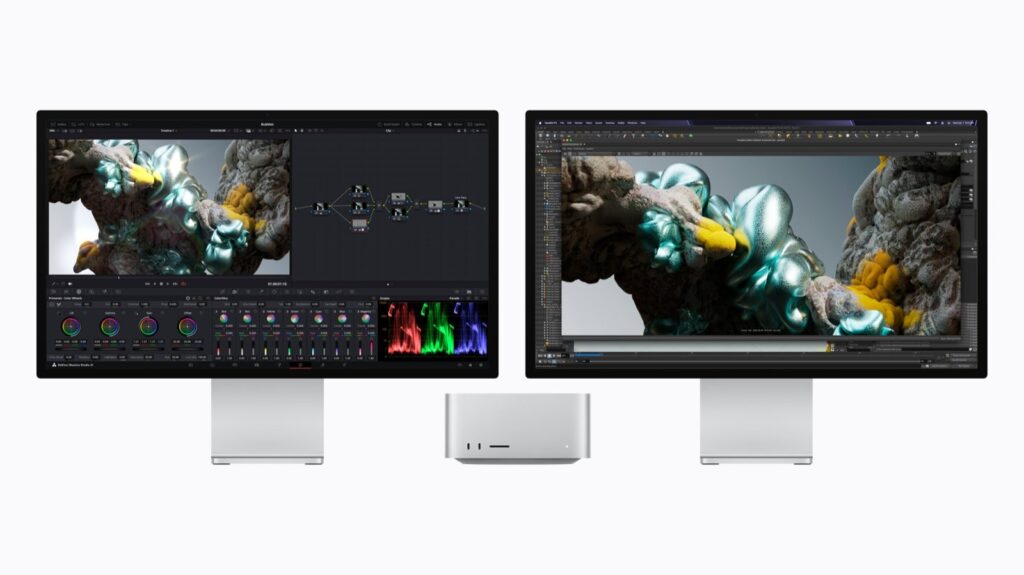
Apple announced the new Mac Studio with M5 Max and M5 Ultra today, 25 August, alongside a refreshed Mac mini running the M6 and M5 Pro chips. Desktop news doesn’t usually land on a cine rental blog, but two things here matter to anyone who shoots: the doubled media engine and genlock over USB-C.
What Apple announced
The Mac Studio comes in two tiers. With M5 Max you get an 18-core CPU, a GPU with up to 40 cores and up to 128GB of unified memory at 614GB/s. With M5 Ultra — Apple’s first quad-die chip — it scales to a 36-core CPU, an 80-core GPU, up to 512GB of unified memory and 1.2TB/s of bandwidth, 50 percent more than M3 Ultra. US pricing: $2,499 for the Max, $5,499 for the Ultra. Pre-orders opened on 25 August, deliveries start 22 September, and the 512GB configuration arrives in late October.
The Mac mini gets the new M6 (12-core CPU, 12-core GPU, 2nm) from $899, or the M5 Pro with up to an 18-core CPU and 64GB of memory at $1,699. Only the M5 Pro version has Thunderbolt 5 and genlock; the base model stops at Thunderbolt 4.
The two numbers that matter on set and in post
First: M5 Ultra has twice the video encode and decode blocks of M5 Max, and Apple claims playback of up to 33 simultaneous streams of 8K ProRes 422 at 30 fps. In plain terms, heavy multicam timelines that play back without proxies. On M5 Max the same media engine handles H.264, HEVC, ProRes and hardware AV1 decode, which covers most real-world work anyway.
Second, less publicised but more interesting to us: the Mac Studio now does genlock over USB-C, so it can lock to the display and to camera capture. Until now you needed a dedicated card or an external generator for a sync reference. If playback and video-assist software make proper use of it, it changes how you build a video village without hauling half a rack along.
Our take: almost nobody needs the Ultra
Let’s be blunt: a $5,499 machine makes sense for VFX, simulations or running AI models locally. For editing and grading a commercial, a short film or a documentary shot in Abruzzo, the M5 Max — or even a Mac mini with M5 Pro — will finish the job without breaking a sweat. In the field the bottleneck is almost never the CPU: it’s storage and file management.
There is one case where the big machine genuinely pays for itself, and we see it often: when the shoot decided to record everything in high-resolution RAW without thinking about what happens next. Footage in 12K BRAW from the Blackmagic URSA Cine 12K or X-OCN from the Sony BURANO fills drives fast and brings even a recent desktop to its knees if the pipeline isn’t planned. Better to settle codec and proxies before the shoot than to buy hardware to fix it afterwards.
How we read it as a rental house
- Your recording format is a budget decision, not just an aesthetic one. Ask us how big the files will be before locking the camera: on a short production it changes everything.
- Recording ProRes to an external monitor is still the cheapest shortcut. With an Atomos Ninja V your editor opens the timeline the same day, no transcode and no waiting for a new machine.
- If you’re cutting on location, the network matters more than the computer. Uploading rushes from an inland Abruzzo location on whatever line exists is the real brake — that’s why we bring the Starlink kit.
Pre-orders are open today but machines ship from 22 September, and Italian pricing will follow with VAT. If you have a September delivery, don’t count on it: plan your post around what you already have. And if you need the gear to shoot with, the rest of the catalogue is on our equipment rental page.
Official source: Apple press release. Industry verification: CineD.
A wide range of equipment in our catalogue, on-set delivery included across Abruzzo.