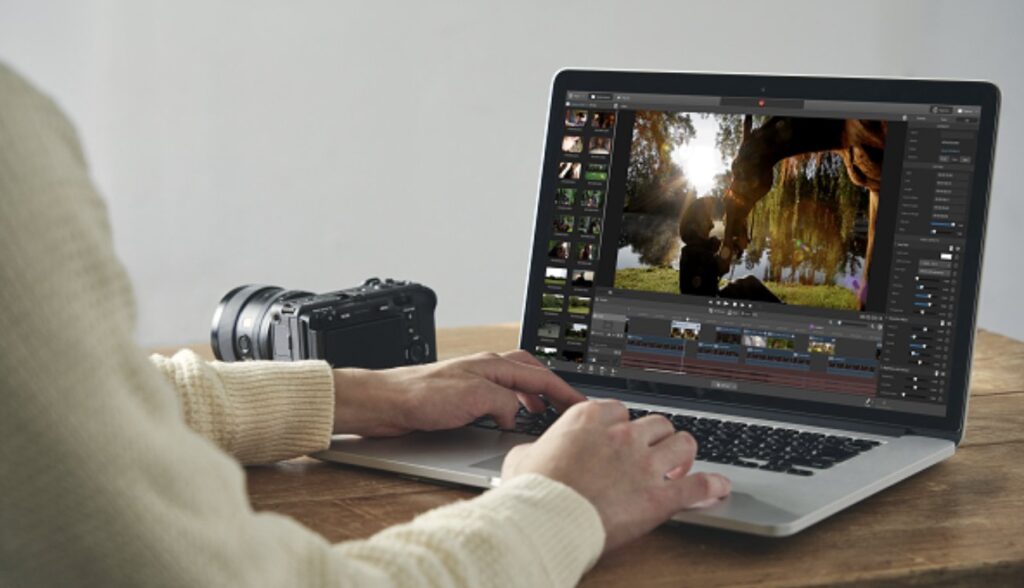
Sony has released Catalyst Prepare 3.0, and it is not a routine maintenance update. The two applications everyone keeps on the offload laptop — the free Catalyst Browse and the paid Catalyst Prepare — are now a single app. One window to ingest cards, read metadata, stabilise and do a first colour pass. The interface has been rebuilt from scratch.
That is the good part. The part nobody reads, and the one that actually matters, sits at the bottom of the release notes: the merge came with removals. Not deprecations — removals.
What is gone in 3.0
- FTP transfers, external nodes and chasing transfers;
- ODA (Optical Disc Archive) support and PZW-4000 related features;
- flashband correction;
- Library, Storyboard, Clip List and EDL import;
- Avid DNxHD;
- segmented body partition support.
Sony is blunt about it: if you need those, stay on the previous version. On the ground that means anyone working in archive or broadcast with optical discs and FTP transfers should not update. And if you deliver to an editor cutting in Media Composer, the easy DNxHD route straight out of Catalyst is gone — that transcode has to move somewhere else.
The removal that hurts quietly, in our view, is flashband correction. If you shoot events, concerts or conferences with an electronic shutter, that function has saved more than one clip. It is no longer there.
What you gain
The rest of the list is genuinely good, and some of it saves real time during ingest:
- support for the FX5’s X-OCN C1/C2 formats: if that body is in your hands, 3.0 is not optional;
- clip adjustments applied to multiple clips at once, stabilisation included. Previously it was one clip at a time;
- LUT import straight from the interface;
- browsing and downloading Ci (cloud) workspaces inside the app;
- customisable file-list columns, pinnable metadata, thumbnail preview on hover, filtering clips by whether effects are applied;
- anyone with a paid Prepare licence can use the Catalyst Prepare Plugin (for Premiere Pro and DaVinci Resolve, both at 3.0) with no restrictions: the free version’s watermark is gone.
Mind the requirements: 3.0 drops older machines
This is the bit that can strand you on location. Version 3.0 asks for Windows 11 (Windows 10 is no longer listed), or macOS 14 Sonoma, macOS 15 Sequoia or macOS Tahoe 26. You need Vulkan 1.2 or higher, and stabilisation plus lens breathing compensation require Vulkan 1.3 and an 11th generation Intel processor or newer. For 8K rendering, or stabilised 4K, Sony recommends a GPU with at least 6 GB.
The DIT laptop you have been carrying for four years, on Windows 10 with an 8th-gen Intel, will not run 3.0.
Our advice before you update
Do not uninstall the version you have. Put 3.0 on a second machine and test it away from set, on footage you have already delivered: this changes a workflow, it is not an interface touch-up. If this season you have jobs delivering in DNxHD or archiving to ODA, keep 2026.1.1 on the production laptop until the project closes.
On pricing, Sony does not publish figures openly on its plans page: there are monthly and annual options for Catalyst Prepare, for the plugins and for the Catalyst Production Suite, with a free first month for anyone who has never subscribed. The free entry point stays.
For anyone shooting in Abruzzo on Sony bodies the read is simple: if you are on the Sony BURANO working in X-OCN, 3.0 is a step forward in the ingest round; if you are shooting documentary on a Sony FX9 or Sony FX6 and your pipeline is already dialled in, wait until the project is done. And if you need a body for a single shoot rather than buying one, our rental catalogue is there for exactly that.
Sources: official Sony release notes (August 2026) and Newsshooter.
A wide range of equipment in our catalogue, on-set delivery included across Abruzzo.