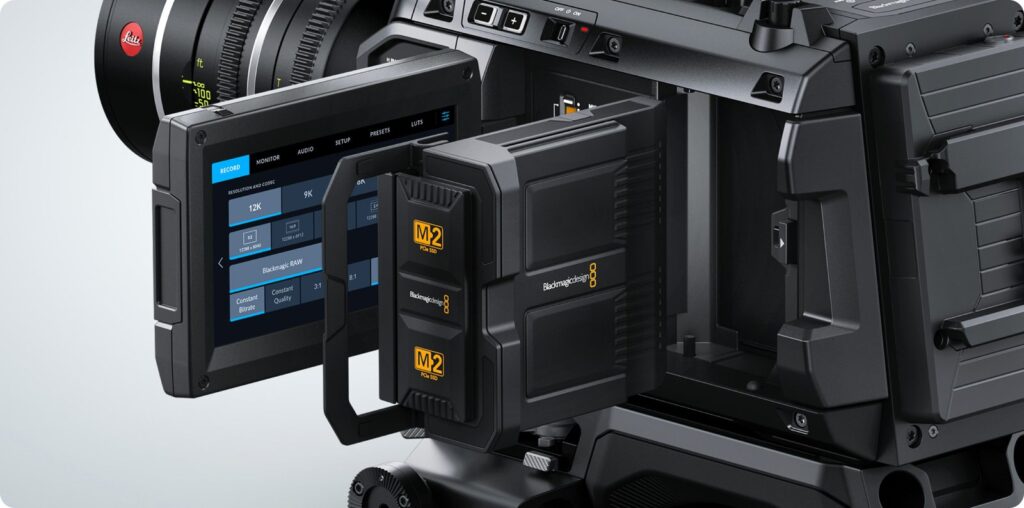
When someone asks us for the Blackmagic URSA Cine 12K, our first question back is nearly always the same: do you actually need to shoot it in 12K? We’re not being difficult. The best thing about this camera, and the reason it lives in our fleet, is that 12K is a ceiling, not a requirement. You can rent it for the sensor and the colour and then record in 8K or 4K. The trick is deciding that before the shoot, not when the first module fills up.
Dropping resolution doesn’t cost you the frame
On most cameras, lowering the resolution means cropping into the sensor: your field of view tightens and the 35mm you picked starts behaving like a 50. Not here. Blackmagic states that 4K, 8K and 12K are all recorded using the entire 36x24mm sensor, with no crop, so you keep the full field of view of your lenses. On set that means the DoP picks glass for the look, and resolution becomes a post and budget decision rather than a framing one.
When you do want a crop, it’s there: a 9K Super 35 mode built for classic S35 cine lenses, the ones that vignette on full frame.
The numbers that matter for data
According to Blackmagic, the 8TB Media Module that ships with the camera holds over 4 hours of Blackmagic RAW in 12K and around 20 hours in 4K. That’s the range to plan around. In between sit the Blackmagic RAW settings:
- constant bitrate: 3:1, 8:1, 12:1, 18:1;
- constant quality: Q0, Q1, Q3, Q5.
Alongside the RAW, the camera also records an HD proxy in H.264, which can go up to Blackmagic Cloud over 10G Ethernet while you’re still rolling. For an editor working remotely, that’s the difference between waiting for drives and starting the same evening.
How we set it up, depending on the job
- Commercials and VFX: 12K, because the headroom for reframing, stabilising and keying is exactly what you’re paying for. Shorter takes, longer offloads.
- Features and shorts: we think 8K is the sweet spot. Same sensor, a more manageable file, and still room to adjust the frame for a 4K delivery.
- Documentaries and long interviews: 4K, no second thoughts. Hours of footage, lots of dialogue, little reframing. You keep the camera’s colour and the big sensor without drowning in drives.
- Slow motion: the official figures decide this one, up to 100 fps in 12K 17:9 and 144 fps at 8,192 x 5,360. If slow motion is half the job, plan it in 8K.
Three things we’ve learned on set
- Pick the resolution at the quote stage. It decides how many drives we prep and how long your DIT needs at wrap. Changing it on day two means redoing the backup maths.
- Run a compression test before the first take. Between 8:1 and 12:1 you often won’t see a difference on a well-lit face; on a sky full of gradients you might. Ten minutes of testing in prep beats any opinion.
- The colour changed recently. Camera update 10.3 brought Generation 6 color science: if your project mixes older and newer footage, give your colourist a heads-up.
Why rent it rather than buy it
A camera like this only pays for itself if it works all year, and the body brings the rest of the chain with it: modules, dock, drives, an edit machine that can handle the RAW. For a short, a commercial or a documentary shot in Abruzzo, the numbers usually favour renting, and ours goes out already set to the format we agreed on. On set we pair it with a Teradek Bolt 6 750 for video village and, when the light needs building, an Aputure LS 600x Pro. The rest is in our complete kits.
Specs and formats on the official Blackmagic Design page.
A wide range of equipment in our catalogue, on-set delivery included across Abruzzo.