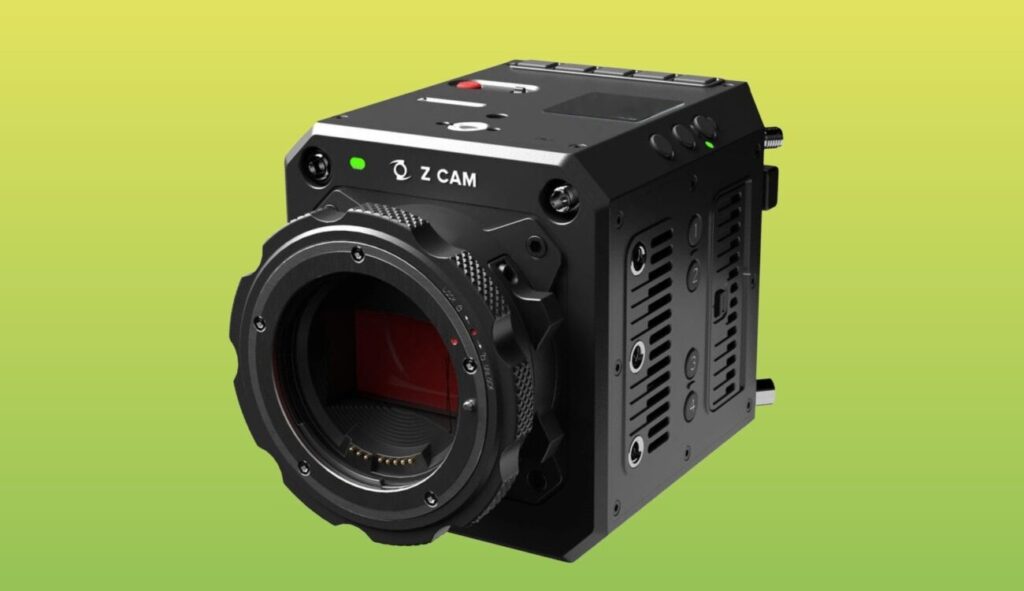
Z CAM has released firmware 0.9.10 for the E2-F6 Pro, its full-frame box camera, and it brings the feature owners have been waiting for: internal ProRes RAW recording, in both HQ and SQ, at up to 6K and 60 frames per second. The update is free, and the camera’s official page now lists ProRes RAW HQ and ProRes RAW SQ among its codecs, next to the usual four flavours of ProRes 422.
Until now, RAW on this camera meant an external recorder. Not anymore: you shoot RAW on the same card you used for ProRes 422 HQ. In our view, that is the part that actually changes how you use it.
What the camera offers, by the numbers
- Sensor: 37.09 x 24.75 mm full-frame CMOS, 26 effective megapixels, dual native ISO 400 and 2500.
- Dynamic range: up to 15 stops according to Z CAM (the manufacturer’s figure, not ours).
- Formats: 6K open gate 6064×4040 up to 30 fps, 6K 2.4:1 up to 60 fps, C4K up to 90 fps, C4K 2.4:1 up to 120 fps, Super 16 up to 170 fps.
- Media: CFast 2.0 or ZBlade, Z CAM’s own cards: 1 TB at $299, 2 TB at $499, 4 TB at $1,099.
- Mount: EF as standard, with optional PL, LPL, M and MFT mounts.
- Weight: 1.39 kg with the EF mount, 1.68 kg with the touchscreen monitor.
- Price: B&H lists the EF version with monitor at $4,299.
One detail worth noting: the official page says RAW over HDMI external recording is not yet supported on the E2-F6 Pro. So right now internal recording is the only route to RAW.
What changes on set
External RAW always comes with a hidden cost: one more monitor-recorder to power, an HDMI cable that is the weak spot of any handheld rig, cards in two different places and a DIT watching two streams. Anyone who has shot with an Atomos Ninja V hanging off a mirrorless knows the drill: it works, but it is one more piece that can come loose at the worst moment.
With internal RAW the camera is a single box again. For a short film, a music video or a commercial with a small crew, that is a real advantage. The trade-off is storage: RAW is heavier than 422 HQ, so do the maths on your cards before you leave, especially if you plan to shoot 6K all day.
Before you commit to ProRes RAW, check that your editing and grading software reads those files in the version you use in post. A test day running the whole chain, from card to grade, costs far less than a surprise in the edit suite.
Our take as a rental house
The E2-F6 Pro is not in our fleet, and we are not saying that to knock it: at $4,299, a full-frame body with 12G-SDI, genlock, timecode and a built-in V-mount plate, now with internal RAW too, is a sensible buy for someone who shoots a lot and already has the accessories around it. For anyone working on the odd production, though, paying off the body, proprietary cards and mounts still takes a long time.
If your project needs internal RAW and an image ready for serious post, in Abruzzo we rent bodies that are already proven: the RED KOMODO 6K in R3D if you want RAW in a tiny body, or the Sony FX6 paired with an external recorder when you need ProRes RAW on a camera your crew already knows. Everything else is on our equipment page.
The firmware is available from Z CAM’s official E2-F6 Pro page, and the update runs over Ethernet from the camera’s web client, on stable power. The full rundown is also on CineD.
A wide range of equipment in our catalogue, on-set delivery included across Abruzzo.